How Secured Credit Cards Build Credit (Step-by-Step Guide)


If you’re considering a secured credit card, you probably have one big question: do they actually build credit?

The short answer is yes — secured credit cards build credit exactly like regular credit cards. But there’s more to it than just getting approved. Here’s how secured cards build credit, how fast you’ll see results, and how to maximize your credit-building.

How Do Secured Credit Cards Build Credit?

Secured cards build credit the same way unsecured cards do: by reporting your account activity to credit bureaus.

Here’s what happens when you use a secured card:

1. You open the account with a deposit Your deposit (usually $200-500) becomes your credit limit. This protects the bank if you don’t pay, but doesn’t affect how credit bureaus see the account.

2. You make purchases Use the card for regular purchases — gas, groceries, subscriptions, whatever.

3. You receive a statement Each month, your statement shows your balance and minimum payment due.

4. You pay your bill You pay at least the minimum (ideally the full balance) by the due date.

5. The issuer reports to credit bureaus Your payment history, balance, and credit limit are reported to Equifax, Experian, and TransUnion — the three major credit bureaus.

6. Your credit score updates Based on this reported data, your credit score is calculated and updated.

The key insight: credit bureaus don’t distinguish between secured and unsecured cards. Your secured card looks identical to any other credit card on your credit report. There’s no flag saying “this is a secured account.”

What Factors Affect Your Credit Score?

Understanding credit scoring helps you use your secured card strategically:

Payment History (35%) — The biggest factor. Paying on time every month is crucial. One late payment can drop your score 50-100 points.

Credit Utilization (30%) — The percentage of your credit limit you’re using. Lower is better. Keeping utilization under 30% (ideally under 10%) maximizes this factor.

Credit Age (15%) — How long your accounts have been open. Longer is better. This is why you should keep your first card open forever.

Credit Mix (10%) — Having different types of credit (cards, loans, etc.). Less important, but having a credit card helps.

New Credit (10%) — Recent applications and new accounts. Too many applications in a short period hurts your score.

Your secured card directly affects all five factors — especially payment history and utilization, which together make up 65% of your score.

How Fast Do Secured Cards Build Credit?

Most people see meaningful credit improvement within 6-12 months. Here’s a realistic timeline:

Month-by-Month Credit Building Timeline

Month 1:

  • Account opens and is reported to credit bureaus
  • If you had no credit before, you may now have a credit score
  • Initial score is often low (500-600) simply because of thin file

Month 2-3:

  • Payment history begins accumulating
  • If utilization is low, score may tick up slightly
  • Don’t expect dramatic changes yet

Month 4-6:

  • With consistent on-time payments and low utilization, expect 20-50 point improvement
  • Some secured cards (like Discover it® Secured) begin graduation review at month 7

Month 6-9:

  • Score often reaches “fair” territory (640-670)
  • You may qualify for some unsecured credit cards
  • Credit limit increases may become available

Month 9-12:

  • Continued improvement with responsible use
  • Scores can reach 680-720 (good credit)
  • You likely qualify for graduation to unsecured card

Month 12-18:

  • Most secured cards have reviewed you for graduation by now
  • With perfect history, scores can reach 700+ (good to excellent)
  • You qualify for most mainstream credit cards

Important: This timeline assumes perfect behavior — paying on time every month and keeping utilization low. Missed payments or maxed-out cards will slow or reverse progress.

How to Build Credit Faster with a Secured Card

These strategies accelerate credit building:

1. Keep Utilization Under 10%

Utilization is the fastest lever you can pull. If your limit is $200, keep your balance under $20 when your statement closes.

Pro tip: You can make multiple payments per month to keep your reported balance low. Pay off purchases before your statement closing date.

2. Never Miss a Payment

Set up autopay immediately. Even one 30-day late payment can drop your score 50-100 points and stay on your report for 7 years.

Minimum payment autopay is the safety net. Then manually pay the full balance each month.

3. Keep the Account Open

Don’t close your secured card after you graduate or get better cards. Account age is 15% of your score, and closing your oldest account hurts your average age.

4. Request Credit Limit Increases

Higher limits = lower utilization = better score. After 6 months of on-time payments, ask for an increase. Some secured cards do this automatically.

For Capital One, you’re automatically considered after 5 on-time payments. Read our Capital One Platinum Secured review for details.

5. Use the Card Regularly (But Lightly)

Some evidence suggests that regular activity helps more than occasional use. Put a small recurring charge (like a streaming subscription) on the card to ensure monthly activity.

But don’t spend more than necessary. The goal is building credit, not racking up purchases.

6. Check Your Credit Report for Errors

Errors on your credit report can suppress your score. Get free reports from AnnualCreditReport.com and dispute any inaccuracies.

Common errors include:

  • Accounts that aren’t yours
  • Incorrect payment status
  • Wrong credit limits
  • Duplicate accounts

Common Mistakes That Slow Credit Building

Carrying a balance — Some people think carrying a balance builds credit faster. It doesn’t. You’re just paying interest for no benefit.

Maxing out the card — High utilization hurts your score even if you pay in full. Keep balances low throughout the month, not just by the due date.

Applying for too many cards — Each application creates a hard inquiry. Multiple inquiries in a short period can drop your score and signal desperation to lenders.

Closing the card after graduation — This hurts your credit age and utilization ratio. Keep it open even if you never use it.

Missing payments — Even one late payment creates lasting damage. Always have autopay as a backup.

Best Secured Cards for Building Credit

Not all secured cards report to all three bureaus. These do:

Discover it® Secured — Best overall. Reports to all three bureaus, offers rewards, and reviews for graduation at 7 months.

Capital One Platinum Secured — Lowest potential deposit ($49). Reports to all three bureaus. Automatic credit line increase consideration.

Chime Credit Builder — No credit check, no annual fee. Reports to all three bureaus. Good for anyone who wants zero debt risk.

For a complete comparison, see our secured credit cards guide.

When to Move Beyond a Secured Card

You don’t have to stay with a secured card forever. Signs you’re ready to upgrade:

Your credit score is 670+ — You likely qualify for entry-level unsecured cards.

Your secured card offers graduation — Take it. You’ll get your deposit back and often keep the same account (preserving history).

You’ve been denied for upgrade — If your issuer won’t graduate you after 12-18 months of perfect payments, apply for an unsecured card elsewhere.

Upgrade options to consider:

Does Getting a Secured Card Hurt Your Credit?

Initially, yes — slightly. The hard inquiry from applying typically drops your score 5-10 points, and a new account lowers your average account age.

But these effects are temporary. Within 2-3 months, the positive impact of having an active credit account outweighs the initial dip. By month 6, you’ll almost certainly be ahead of where you started.

The only scenario where a secured card hurts your credit long-term: if you miss payments or max out the card. Used responsibly, secured cards are one of the most effective credit-building tools available.

The Bottom Line

Yes, secured credit cards absolutely build credit — and they do it just as effectively as unsecured cards. Credit bureaus don’t differentiate between the two.

The keys to building credit fast:

  1. Choose a card that reports to all three bureaus
  2. Keep utilization under 10%
  3. Pay on time every single month
  4. Keep the account open long-term
  5. Request limit increases after 6 months

With consistent, responsible use, you can go from no credit to good credit (680+) in 12-18 months. From there, better cards, lower interest rates, and easier approvals await.


Related Reading


Disclosure: BankSeer may earn a commission when you apply through links on our site. This doesn’t affect our ratings or recommendations.

Credit Cards with GPA Rewards and Good Grade Bonuses


What if your credit card rewarded you for getting good grades? Several student credit cards actually pay you cash bonuses for maintaining a solid GPA.

If you’re already working hard in school, you might as well get paid for it. Here are the best credit cards with GPA rewards and good grade bonuses in 2026.

How GPA Rewards Work

Most credit cards with GPA bonuses work like this:

  1. You maintain a qualifying GPA (usually 3.0 or higher)
  2. You submit proof (unofficial transcript or grade report)
  3. You receive a statement credit ($20-$25 per year)

The rewards aren’t huge — typically $20-25 per school year — but it’s free money for doing something you’re already trying to do. Over 4-5 years of college, that’s $80-125 in bonus cash on top of regular rewards.

Best Credit Cards with GPA Rewards

1. Discover it® Student Cash Back

Good Grades Reward: $20 statement credit per school year (up to 5 years) GPA Requirement: 3.0 or higher Annual Fee: $0

Regular Rewards:

  • 5% cash back in rotating quarterly categories (up to $1,500/quarter)
  • 1% unlimited on everything else
  • Cashback Match doubles all rewards in year one

This is the most popular student card with GPA rewards — and for good reason. The $20 annual bonus adds up to $100 over five years, on top of excellent everyday rewards.

How to Claim: Log into your Discover account, navigate to the Good Grades program, and upload your transcript or grade report each academic year.

Why We Recommend It: Beyond the GPA bonus, the Cashback Match program effectively doubles your first-year rewards. If you earn $150 in cash back year one, Discover adds another $150.

Compare with other student cards


2. Discover it® Student Chrome

Good Grades Reward: $20 statement credit per school year (up to 5 years) GPA Requirement: 3.0 or higher Annual Fee: $0

Regular Rewards:

  • 2% cash back at gas stations and restaurants (on up to $1,000/quarter)
  • 1% unlimited on everything else
  • Cashback Match doubles all rewards in year one

The Chrome version has the same GPA bonus as the Cash Back card but with different reward categories. Instead of rotating 5% categories, you get consistent 2% at gas stations and restaurants — useful if you commute or eat out frequently.

How to Claim: Same process as the Cash Back card — submit transcript annually through your online account.

Best For: Students who prefer predictable rewards over tracking quarterly categories.


3. Discover it® Chrome (Non-Student Version)

Good Grades Reward: $20 statement credit per school year (up to 5 years) GPA Requirement: 3.0 or higher Annual Fee: $0

Regular Rewards:

  • 2% cash back at gas stations and restaurants (on up to $1,000/quarter)
  • 1% unlimited on everything else
  • Cashback Match in year one

Wait — a non-student card with GPA rewards? Yes. Discover extends the Good Grades program to their regular Chrome card too. This is useful if you’re a graduate student, part-time student, or returning adult learner who doesn’t qualify for student cards.

How to Claim: Same process — submit proof of 3.0+ GPA through your account.

Best For: Graduate students or non-traditional students who can’t get approved for student-specific cards.


4. Bank of America® Cash Rewards for Students

Study Abroad Perk: No foreign transaction fees (not a GPA reward, but valuable for students) Annual Fee: $0

Regular Rewards:

  • 3% in a category of your choice (gas, online shopping, dining, travel, drug stores, or home improvement)
  • 2% at grocery stores and wholesale clubs (first $2,500/quarter)
  • 1% on everything else

This card doesn’t have a direct GPA bonus, but it deserves mention because of its excellent category flexibility and no foreign transaction fees. If you’re planning study abroad, the fee savings can far exceed a $20 GPA bonus.

Best For: Students who want to customize their bonus category or plan to study internationally.


5. Firstcard® Secured Credit Builder Card

Interest Earned: Up to 4% APY on your deposited funds Annual Fee: $72-$144/year (subscription model)

This isn’t a traditional GPA reward, but Firstcard takes a unique approach. Instead of earning rewards on spending, your security deposit earns interest. The more you deposit, the more you earn — and it builds credit simultaneously.

Key Features:

  • No credit check (no SSN required — great for international students)
  • Interest paid on deposited funds
  • No late fees
  • 1% cash back at partner merchants

Best For: International students without SSN or those who want to earn interest while building credit.


Which Card Should You Choose?

Card GPA Bonus Best Regular Rewards Best For
Discover it® Student Cash Back $20/year 5% rotating categories Maximizing rewards
Discover it® Student Chrome $20/year 2% gas & restaurants Consistent categories
Discover it® Chrome $20/year 2% gas & restaurants Graduate students
BofA Cash Rewards for Students None 3% choice category Study abroad
Firstcard® Secured None (interest instead) Interest on deposit International students

Our Top Pick: Discover it® Student Cash Back — the combination of GPA rewards, 5% categories, and Cashback Match makes it the best overall value for students.


How to Maximize Your GPA Rewards

1. Set a calendar reminder

GPA rewards aren’t automatic. You need to submit proof each academic year. Set a reminder for the end of each semester/quarter.

2. Don’t forget summer and winter terms

If you maintain your GPA during summer or winter sessions, those may count too. Check with Discover about eligible terms.

3. Stack with regular rewards

The $20 GPA bonus is on top of regular cash back. If you earn $150 in rewards plus the Cashback Match ($150) plus the GPA bonus ($20), that’s $320 in your first year.

4. Keep the card long-term

The GPA bonus lasts up to 5 years. Even if you get other cards, keep your Discover active to collect the annual bonus.


What If Your GPA Is Below 3.0?

If you don’t hit the 3.0 threshold, you don’t get the bonus — but you still earn regular cash back rewards. The GPA bonus is a nice perk, but the regular rewards are more valuable anyway.

For example, if you spend $5,000/year on a Discover it® Student Cash Back:

  • Regular cash back: ~$75-150 (depending on category spending)
  • Cashback Match year one: Another $75-150
  • GPA bonus: $20

The $20 is nice, but it’s only about 10-15% of your total potential rewards.

Bottom line: Choose a card based on rewards structure and features, not just the GPA bonus.


Other Ways to Benefit as a Student

Beyond GPA rewards, student credit cards often have other perks:

No credit history required — Most student cards accept applicants with thin or no credit files. See our guide to credit cards for no credit.

Lower credit requirements — Student cards are often the easiest unsecured cards to get approved for.

0% intro APR offers — Many student cards offer 0% APR for 6-12 months on purchases, letting you pay for textbooks over time without interest.

No foreign transaction fees — Useful for study abroad, international travel, or online purchases from foreign retailers.

Late fee forgiveness — Some cards waive your first late fee, giving you a buffer while you learn to manage credit.


Building Credit While Earning GPA Rewards

A GPA reward card isn’t just about free money — it’s about building credit for life. Here’s how to do it right:

Pay in full every month — Never carry a balance. The interest charges will far exceed any rewards.

Keep utilization low — Try to keep your balance under 30% of your limit (under 10% is ideal).

Set up autopay — Never miss a payment. Late payments crush credit scores.

Don’t close the account after graduation — Account age helps your credit score. Keep your first card open even when you get better cards.

For a complete credit-building guide, read our secured credit cards explained post.


The Bottom Line

If you’re maintaining a 3.0+ GPA anyway, you might as well get paid for it. The Discover it® Student Cash Back card is the best option — $20/year in GPA bonuses, excellent rotating category rewards, and a first-year Cashback Match that effectively doubles your earnings.

Over 4 years of college with responsible use, you could earn $400+ in rewards while building excellent credit. That’s a solid return on something you’re already doing.


Related Reading


Disclosure: BankSeer may earn a commission when you apply through links on our site. This doesn’t affect our ratings or recommendations.
Best Credit Cards for 18-Year-Olds with No Credit


You just turned 18, and you’re ready for your first credit card. The problem? Every card seems to want credit history you don’t have yet.

Here’s the good news: several credit cards are specifically designed for people with no credit history. You don’t need a co-signer, and you don’t need to wait until you’re older.

These are the best credit cards for 18-year-olds with no credit in 2026 — plus exactly how to get approved.

Can You Get a Credit Card at 18?

Yes. The legal age to get a credit card in your own name is 18. However, thanks to the CARD Act of 2009, there’s one extra requirement: you need to prove you have income to make payments.

This doesn’t mean you need a full-time job. Acceptable income includes:

  • Part-time job earnings
  • Freelance or gig work (DoorDash, tutoring, etc.)
  • Regular allowance from parents
  • Scholarships and grants (some issuers accept this)
  • Income from a spouse (if married)

If you have no income at all, you can still get a credit card by:

  1. Having a parent co-sign (limited options)
  2. Becoming an authorized user on a parent’s card
  3. Getting a secured card with a deposit

Best Credit Cards for 18-Year-Olds: Our Top Picks

Best Unsecured Cards (No Deposit Required)


1. Discover it® Student Cash Back

Annual Fee: $0 APR: 16.49% – 25.49% Variable Rewards: 5% rotating categories, 1% everything else Credit Needed: No credit history required

This is the best first credit card for most 18-year-olds. Discover explicitly accepts applicants with no credit score, and their approval rates for young adults are among the highest in the industry.

Why It’s Great for 18-Year-Olds:

  • No credit history required to apply
  • Cashback Match doubles all rewards your first year
  • $20 statement credit for each school year your GPA is 3.0+ (for up to 5 years)
  • 0% intro APR for 6 months
  • First late payment fee waived
  • Free FICO score monitoring

Best For: College students or anyone who wants rewards from day one.

For more student options, see our best student credit cards guide.


2. Capital One Quicksilver Student

Annual Fee: $0 APR: 19.99% – 29.99% Variable Rewards: 1.5% unlimited cash back Credit Needed: Limited or no credit

Capital One is known for approving first-time applicants. The Quicksilver Student offers simple, flat-rate rewards without tracking categories.

Why It’s Great for 18-Year-Olds:

  • Simple 1.5% on everything (no category tracking)
  • $50 bonus after spending $100 in first 3 months
  • No foreign transaction fees
  • Automatic credit line increase consideration after 6 months
  • Access to CreditWise credit monitoring

Best For: 18-year-olds who want simplicity and might travel.


3. Chase Freedom Rise℠

Annual Fee: $0 APR: 20.49% – 29.24% Variable Rewards: 1.5% cash back on all purchases Credit Needed: No credit history required

Chase designed this card specifically for first-time credit users. It’s a gateway to Chase’s ecosystem of premium cards.

Why It’s Great for 18-Year-Olds:

  • No credit history required
  • $25 bonus for setting up autopay in first 3 months
  • Automatic consideration for upgrade to Chase Freedom Unlimited after 12 months
  • Access to Chase’s excellent app and fraud protection

Catch: Approval odds improve significantly if you have a Chase checking account with $250+ balance.

Best For: 18-year-olds who bank with Chase (or are willing to open an account).


4. Petal® 2 “Cash Back, No Fees” Visa®

Annual Fee: $0 APR: 18.24% – 32.24% Variable Rewards: 1% (upgrades to 1.5% after 12 on-time payments) Credit Needed: No credit history required

Petal uses a unique underwriting system that analyzes your bank account history instead of just credit scores. If you have a checking account with regular deposits, you have a good shot at approval.

Why It’s Great for 18-Year-Olds:

  • No credit history required
  • No fees whatsoever (no annual fee, no foreign transaction fee, no late fee)
  • Cash back increases with on-time payments
  • 2-10% cash back at select merchants

Best For: 18-year-olds with bank account history but no credit history.


Best Secured Cards (Deposit Required)

If you can’t get approved for the cards above — or you have no income — a secured card is your path in. You’ll put down a refundable deposit that becomes your credit limit.


5. Discover it® Secured

Annual Fee: $0 Deposit: $200 minimum Rewards: 2% gas/restaurants (up to $1,000/quarter), 1% everything else Credit Needed: Any (secured cards are for building credit)

The Discover it® Secured is the best secured card on the market. It offers the same rewards as regular Discover cards, plus automatic graduation review after 7 months.

Why It’s Great for 18-Year-Olds:

  • Earn rewards while building credit
  • Cashback Match doubles first-year rewards
  • Automatic review for unsecured upgrade at 7 months
  • Reports to all three credit bureaus

Best For: 18-year-olds who have $200 for a deposit and want rewards.

Learn more about secured cards


6. Capital One Platinum Secured

Annual Fee: $0 Deposit: $49, $99, or $200 Rewards: None Credit Needed: Any

Capital One may let you put down as little as $49 for a $200 credit line — the best deposit-to-limit ratio available.

Why It’s Great for 18-Year-Olds:

  • Potentially lowest deposit in the industry
  • No annual fee
  • Automatic credit line increase consideration after 5 on-time payments
  • CreditWise free credit monitoring

Best For: 18-year-olds who want to start with the smallest possible deposit.

Read our full Capital One Platinum Secured review


7. Chime Credit Builder

Annual Fee: $0 Deposit: No minimum (use your own money) Rewards: None Credit Needed: Any (no credit check at all)

Chime works differently: you move money from your Chime checking account to your Credit Builder account, and that becomes your spending limit. Purchases are automatically paid off, so you can’t carry a balance or pay interest.

Why It’s Great for 18-Year-Olds:

  • No credit check whatsoever
  • Impossible to go into debt
  • No deposit required (just transfer your own money)
  • Reports to all three bureaus

Catch: You need a Chime checking account with direct deposit.

Best For: 18-year-olds who want zero risk of debt while building credit.

Read our Chime review


8. OpenSky® Secured Visa®

Annual Fee: $35 Deposit: $200 minimum Rewards: None Credit Needed: Any (no credit check)

OpenSky doesn’t run any credit check — not even a soft pull. If you’ve been denied everywhere else, this card will approve you.

Why It’s Great for 18-Year-Olds:

  • No credit check at all
  • Guaranteed approval with deposit
  • Reports to all three bureaus

Downside: The $35 annual fee hurts, but it’s worth it if you can’t get approved anywhere else.

Best For: 18-year-olds who’ve been denied other secured cards.


What If You Can’t Get Approved?

Option 1: Become an Authorized User

Ask a parent or trusted adult to add you as an authorized user on their credit card. Their positive payment history will appear on your credit report, building your credit without you needing your own card.

Important: The primary cardholder’s history affects your credit. Only do this if they have good payment habits.

Option 2: Credit-Builder Loan

Some banks offer small loans specifically designed to build credit. You make monthly payments, and the loan is released to you at the end. This establishes payment history without a credit card.

Option 3: Wait and Apply Later

If you’re denied, wait 6 months and try again. In the meantime:

  • Get a checking account and use it responsibly
  • Start any job (even part-time) to show income
  • Become an authorized user if possible

How to Maximize Approval Odds at 18

1. Show real income

Even $500/month from a part-time job counts. If you babysit, tutor, or do gig work, report that income.

2. Apply for ONE card first

Every application creates a hard inquiry on your credit report. Multiple applications signal desperation. Pick your best option and wait for a decision.

3. Start with student or secured cards

Don’t apply for premium cards like Chase Sapphire. Target cards explicitly designed for no credit.

4. Have a bank account

Many issuers look at your banking relationship. Having a checking account with steady deposits helps.

5. Use pre-qualification tools

Discover, Capital One, and others let you check your odds without affecting your credit. Use these first.


Building Credit After You’re Approved

Getting the card is step one. Here’s how to actually build excellent credit:

Pay your full balance every month — This is the #1 rule. Never carry a balance. You’ll avoid interest and build credit faster.

Keep utilization under 30% — If your limit is $500, keep your balance under $150. Under 10% is even better.

Never miss a payment — One late payment can destroy months of progress. Set up autopay immediately.

Don’t close the card — Even after you get better cards, keep your first card open. Account age helps your score.

Check your score monthly — Most of these cards offer free FICO score access. Track your progress.


Credit Score Timeline: What to Expect

Month 1-2: Your account appears on your credit report. You may now have a credit score (likely 580-650).

Month 3-6: With perfect payments and low utilization, expect 30-50 point improvement.

Month 6-12: You may qualify for unsecured cards (if you started with secured). Scores often reach 680-720 range.

Month 12-18: With continued responsible use, scores can hit 700+ — “good” credit territory.

Year 2+: You’ll qualify for premium rewards cards, better loan rates, and apartment approvals.


The Bottom Line

At 18, your best path to a first credit card is:

  1. If you’re a student: Discover it® Student Cash Back (best rewards, high approval)
  2. If you want simplicity: Capital One Quicksilver Student
  3. If you need a deposit: Discover it® Secured or Capital One Platinum Secured
  4. If you’ve been denied everywhere: OpenSky® Secured Visa®

The card you choose matters less than how you use it. Pay on time, keep balances low, and in 12-18 months you’ll have solid credit for apartments, car loans, and better credit cards.


Related Reading


Disclosure: BankSeer may earn a commission when you apply through links on our site. This doesn’t affect our ratings or recommendations.

Banks That Don’t Use ChexSystems in Texas


Getting denied for a bank account in Texas because of ChexSystems is frustrating — but you’re not out of options. Several banks and credit unions operating in Texas either skip ChexSystems entirely or offer second-chance accounts for people with past banking issues.

Here are your best options for opening a bank account in Texas without a ChexSystems check in 2026.

What is ChexSystems and Why Does It Matter?

ChexSystems is a consumer reporting agency (like a credit bureau, but for banking). It tracks:

  • Bounced checks
  • Unpaid overdraft fees
  • Accounts closed by banks for negative balances
  • Suspected fraud

When you apply for a checking account, most banks pull your ChexSystems report. Negative marks can stay on your report for 5 years and result in automatic denial.

If you’ve been denied a bank account, you likely have a ChexSystems record. The good news: not all banks use it.

For a deeper dive on how ChexSystems works and nationwide options, check out our complete No ChexSystems Banks Guide.

Best No-ChexSystems Banks Available in Texas

Online Banks (Available Statewide)

These banks operate entirely online and accept customers throughout Texas — no branch visit required.


1. Chime

ChexSystems Check: No Monthly Fee: $0 Minimum Deposit: $0 ATM Network: 60,000+ fee-free ATMs

Chime is a fintech (not a traditional bank) that explicitly states they don’t use ChexSystems. Banking services are provided by Bancorp Bank or Stride Bank, both FDIC insured.

Standout Features:

  • Get paid up to 2 days early with direct deposit
  • SpotMe overdraft protection up to $200 (no fees)
  • Automatic savings round-ups
  • No minimum balance requirements

Who It’s Best For: Anyone who wants a full-featured checking account without ChexSystems anxiety. Chime is our top pick for most Texans.

Bonus: Chime also offers a Credit Builder card that can help rebuild your credit without a traditional credit check.

Read our full Chime review


2. Varo Bank

ChexSystems Check: No Monthly Fee: $0 Minimum Deposit: $0 ATM Network: 40,000+ fee-free ATMs (Allpoint)

Varo is a digital-only bank (actually chartered as a bank, not a fintech) that explicitly doesn’t use ChexSystems. They state: “Past mistakes should never stop you from having access to essential money management tools.”

Standout Features:

  • High-yield savings (up to 5.00% APY with qualifying direct deposits)
  • Varo Advance: borrow up to $250 with no interest
  • No overdraft fees
  • Early direct deposit (up to 2 days)

Who It’s Best For: Texans who want actual banking (not fintech) without ChexSystems, plus a solid savings rate.


3. GO2bank

ChexSystems Check: No Monthly Fee: $5/month (waived with $100+ direct deposit) Minimum Deposit: $0 ATM Network: 55,000+ fee-free ATMs (Allpoint)

GO2bank is Green Dot’s mobile banking product. It’s designed specifically for people who’ve had banking problems.

Standout Features:

  • Up to 7% cash back on eGift card purchases in-app
  • Free overdraft protection up to $200
  • Early direct deposit
  • Secured credit card available to build credit

Who It’s Best For: People who want cash back rewards and don’t mind the $5 fee (or have direct deposit to waive it).


4. SoFi Checking & Savings

ChexSystems Check: No (uses soft credit inquiry instead) Monthly Fee: $0 Minimum Deposit: $0 ATM Network: 55,000+ fee-free ATMs (Allpoint)

SoFi doesn’t use ChexSystems — they do a soft credit pull that doesn’t affect your score. Even with poor credit, most people get approved.

Standout Features:

  • Up to 4.00% APY on savings (with direct deposit)
  • Up to $300 bonus with qualifying direct deposit
  • No account fees whatsoever
  • Overdraft coverage up to $50

Who It’s Best For: Texans who want premium features (high APY, sign-up bonus) without ChexSystems.

Compare online vs traditional banks


5. Capital One 360 Checking

ChexSystems Check: No Monthly Fee: $0 Minimum Deposit: $0 ATM Network: 70,000+ fee-free ATMs

Capital One stopped using ChexSystems about a decade ago. Their 360 Checking account is fully featured with no monthly fees.

Standout Features:

  • No fees, no minimums
  • Mobile check deposit
  • Zelle integration
  • Access to Capital One Cafés in Dallas, Austin, and Houston

Who It’s Best For: Texans who want a major bank name without ChexSystems, especially those near Capital One Café locations.

Texas Capital One Café Locations:

  • Houston: 5015 Westheimer Rd
  • Dallas: Multiple locations in Uptown and Deep Ellum
  • Austin: The Domain

6. Current

ChexSystems Check: No Monthly Fee: $0 Minimum Deposit: $0 ATM Network: 40,000+ fee-free ATMs

Current is a mobile banking platform that doesn’t use ChexSystems. It’s particularly popular with younger users.

Standout Features:

  • Get paid up to 2 days early
  • Overdraft up to $200 (no fees)
  • Points on purchases (redeemable for cash)
  • Teen accounts available

Who It’s Best For: Younger Texans or parents who want to add teen banking.


Texas-Based Banks & Credit Unions

If you prefer local banking with physical branches, these Texas institutions don’t use ChexSystems or offer second-chance accounts:


7. Navy Federal Credit Union

ChexSystems Check: No (soft credit check only) Monthly Fee: $0 Branches: Multiple Texas locations Eligibility: Military members, veterans, DoD employees, and their families

Navy Federal is the largest credit union in the US and doesn’t pull ChexSystems. They do a soft credit check that won’t affect your score.

Standout Features:

  • Free EveryDay Checking with no minimums
  • 24/7 member service
  • Competitive loan rates
  • Full-service branches throughout Texas

Texas Locations: San Antonio (multiple), Houston, Dallas/Fort Worth, El Paso, Austin, Corpus Christi, Killeen

Who It’s Best For: Military-connected Texans who want full-service banking without ChexSystems.


8. USAA

ChexSystems Check: No Monthly Fee: $0 Eligibility: Military members, veterans, and their families

USAA doesn’t use ChexSystems and offers excellent banking products — but membership is limited to military-affiliated individuals.

Standout Features:

  • No fees on checking
  • Excellent mobile app
  • Free ATMs nationwide (they reimburse fees)
  • Bundled insurance discounts

Who It’s Best For: Military families in Texas who want a one-stop financial institution.


9. Frost Bank (Second-Chance Option)

ChexSystems Check: Yes, but offers second-chance accounts Monthly Fee: $0 (Frost Plus Checking) Branches: 150+ locations across Texas

Frost Bank is a Texas-based institution with a strong local reputation. While they do check ChexSystems, they’re known for working with customers who have past issues.

How to Get Approved:

  • Visit a branch and explain your situation
  • They may offer a restricted account that converts to full checking after 12 months of good standing

Who It’s Best For: Texans who want a local, Texas-only bank and are willing to discuss their ChexSystems history in person.


10. Wells Fargo Clear Access Banking

ChexSystems Check: No (uses Early Warning Services instead) Monthly Fee: $5/month (waived for ages 13-24) Branches: Hundreds across Texas

Wells Fargo’s Clear Access account is specifically designed as a second-chance checking option. It doesn’t use ChexSystems (though they use a different system called Early Warning Services).

Standout Features:

  • No overdrafts allowed (you can’t spend more than you have)
  • Debit card included
  • Mobile banking
  • After 12 months, you can upgrade to regular checking

Texas Presence: Wells Fargo has extensive branch coverage throughout Texas, including rural areas.

Who It’s Best For: Texans who want a major national bank with local branches.


11. Chase Secure Banking℠

ChexSystems Check: No (uses Early Warning Services) Monthly Fee: $4.95/month Branches: 200+ in Texas

Chase’s second-chance account doesn’t use ChexSystems. It’s a basic account with some restrictions but gets you into the Chase ecosystem.

Standout Features:

  • Access to Chase’s extensive Texas branch network
  • Zelle payments
  • Mobile deposit
  • No overdraft fees (overdrafts aren’t allowed)

Current Bonus: Sometimes offers $100-$125 for opening with qualifying activity.

Who It’s Best For: Texans who want access to Chase’s branch network and services.


12. Credit Human (San Antonio Area)

ChexSystems Check: Flexible Monthly Fee: $0 Branches: San Antonio metro area

Credit Human is a San Antonio-based credit union known for working with members who have ChexSystems records. They evaluate applications individually rather than auto-denying.

Who It’s Best For: San Antonio residents who want a community credit union that takes a personal approach.


How to Choose the Right Option

Choose an online bank if:

  • You’re comfortable with mobile banking
  • You want the easiest approval process
  • You don’t need to deposit cash frequently
  • You want the best features (early direct deposit, high APY)

Choose a local bank/credit union if:

  • You need to deposit cash regularly
  • You prefer in-person customer service
  • You want to build a relationship for future loans
  • You’re eligible for credit union membership

Our Top Picks for Texas:

Situation Best Option
Best overall Chime
Best for high APY SoFi or Varo
Best with branches Capital One 360
Best for military Navy Federal or USAA
Best major bank Wells Fargo Clear Access

What About Building Credit?

Once you have a bank account, you may want to rebuild your credit too. Many of these banks offer secured credit cards or credit-builder products:

  • Chime Credit Builder — No credit check, builds credit with your own money
  • Capital One Secured CardRead our full review
  • Varo Believe Card — Secured card with no credit check

For more options, check out our guide on secured credit cards for building credit.

How to Clear Your ChexSystems Record

While these banks let you avoid ChexSystems, you may want to clean up your record for the future:

1. Get your free ChexSystems report Request it at ConsumerDebit.com — you’re entitled to one free report per year.

2. Dispute errors If anything is inaccurate, dispute it directly with ChexSystems.

3. Pay outstanding debts Contact banks you owe money to. Many will remove negative reports after you pay.

4. Wait it out Negative marks automatically fall off after 5 years.

The Bottom Line

Being on ChexSystems doesn’t mean you can’t have a bank account in Texas. Online options like Chime, Varo, and SoFi offer full-featured banking without ChexSystems checks. If you prefer branches, Capital One, Wells Fargo Clear Access, and Navy Federal (for eligible members) provide local options.

Start with Chime if you want the easiest approval and best features. Then work on building your credit so you have more options in the future.


Related Reading


Disclosure: BankSeer may earn a commission when you apply through links on our site. This doesn’t affect our ratings or recommendations.

Capital One Platinum Secured Review 2026

The Capital One Platinum Secured Credit Card is one of the most popular secured cards for building credit. But is it actually the best choice for you in 2026?

After analyzing the card’s features, comparing it to alternatives, and reviewing real user experiences, here’s our complete verdict.

Capital One Platinum Secured: Quick Overview

Feature Details
Annual Fee $0
Security Deposit $49, $99, or $200
Credit Limit $200 (minimum)
APR 30.74% Variable
Rewards None
Foreign Transaction Fee $0
Credit Bureau Reporting All 3 (Equifax, Experian, TransUnion)

Our Rating: 4.2/5

Best For: People who want the lowest possible deposit to start building credit, and those who value Capital One’s mobile app and automatic credit line increases.

What Makes This Card Unique

The Variable Deposit System

Most secured cards require a flat deposit — usually $200 or $300. Capital One does something different: they evaluate your application and may offer you one of three deposit tiers:

  • $49 deposit → $200 credit limit
  • $99 deposit → $200 credit limit
  • $200 deposit → $200 credit limit

This means you could get a $200 credit line for just $49 down — a 4:1 ratio that’s rare in the secured card world. However, which tier you get depends on your specific situation. People with some credit history (even if damaged) often get the lower deposit offers.

You won’t know your deposit requirement until you apply, but Capital One’s pre-qualification tool lets you check without a hard credit pull.

Automatic Credit Line Increases

After making your first 5 monthly payments on time, Capital One automatically considers you for a higher credit line — without requiring an additional deposit. Many cardholders report increases from $200 to $500 or even $1,000 within 6-12 months.

This matters because credit utilization (how much of your limit you use) accounts for 30% of your credit score. A higher limit makes it easier to keep utilization low.

Path to Unsecured

Capital One periodically reviews secured accounts for graduation to unsecured status. When you graduate:

  • Your security deposit is refunded
  • Your account converts to a regular Capital One card
  • Your credit history stays intact (the account age continues)

Typical graduation timeline is 12-18 months of responsible use, though some users report graduating faster.

The Pros

1. Lowest deposit in the industry (potentially)

If you qualify for the $49 tier, you’re getting more credit per dollar deposited than almost any other secured card. Even the $99 tier is better than most competitors requiring $200+.

2. No annual fee

You won’t pay anything just to have the card. Some secured cards charge $25-$50 annually, which eats into the value — especially when you’re trying to build credit, not spend money on fees.

3. Reports to all three bureaus

Capital One reports your payment activity to Equifax, Experian, and TransUnion every month. This is essential for building credit. Some smaller secured cards only report to one or two bureaus.

4. No foreign transaction fees

Planning to travel or study abroad? Most secured cards charge 3% on international purchases. Capital One charges nothing, making this card surprisingly travel-friendly for a credit-building product.

5. Excellent mobile app

Capital One’s app is genuinely one of the best in banking. Features include:

  • Instant lock/unlock if your card is lost
  • Real-time transaction alerts
  • Free CreditWise credit score monitoring
  • Virtual card numbers for online shopping
  • Easy payment scheduling

6. Wide acceptance

As a Mastercard, this card is accepted virtually everywhere. Some secured cards are only Visa or have limited merchant acceptance.

The Cons

1. No rewards

This is the card’s biggest weakness. You earn nothing on purchases — no cash back, no points, no miles. Competitors like the Discover it® Secured offer 2% cash back at gas stations and restaurants plus a first-year cashback match.

If rewards matter to you, check out our secured credit cards comparison for alternatives.

2. High APR

At 30.74% variable, this card’s interest rate is steep. While you should always pay your balance in full (and avoid interest entirely), this APR punishes any mistakes harshly.

3. Deposit isn’t always low

The $49 deposit is a best-case scenario. Many applicants — especially those with no credit at all — get the $200 requirement, which matches most other secured cards.

4. No guaranteed graduation timeline

Unlike Discover (which reviews accounts at 7 months), Capital One doesn’t commit to a specific graduation timeline. Some users wait 18+ months for their deposit back.

5. Starting limit is just $200

Even with the automatic increase feature, you’re starting with a $200 limit. If you need more spending power immediately, you’d need to deposit more upfront with a different card.

Capital One Platinum Secured vs. The Competition

vs. Discover it® Secured

Feature Capital One Platinum Discover it® Secured
Annual Fee $0 $0
Minimum Deposit $49-$200 $200
Rewards None 2% gas/restaurants, 1% everything
Cashback Match No Yes (first year)
Graduation Review Periodic 7 months
Foreign Transaction Fee $0 $0

Verdict: Discover wins on rewards. Capital One wins on potentially lower deposit. If you can get the $49 deposit tier, go Capital One. If you’re paying $200 anyway, Discover is better.

For a detailed comparison, read our Capital One Platinum vs Discover it Secured guide.

vs. Chime Credit Builder

Chime doesn’t require any security deposit — you just move money from your Chime checking account. However, you need direct deposit set up, and it’s technically a charge card (balance auto-paid). Capital One is better if you want a traditional credit card experience.

vs. OpenSky® Secured Visa®

OpenSky doesn’t check credit at all, making it easier to get approved. But it charges a $35 annual fee. Capital One is better unless you’ve been denied everywhere else.

Who Should Get This Card?

Ideal for:

  • First-time credit builders who want to minimize upfront costs
  • People who value a great mobile app experience
  • Anyone planning international travel (no foreign transaction fees)
  • Those who want automatic credit line increases without asking
  • People who already bank with Capital One

Not ideal for:

  • Reward seekers (get Discover it® Secured instead)
  • Those who need a specific graduation timeline
  • People who want the highest possible starting credit limit

Who Should NOT Get This Card?

Skip this card if:

  • You have fair or good credit already — You likely qualify for unsecured cards. Check out our best credit cards for bad credit to see if you qualify for something better.

  • You’re an immigrant with no SSN — Capital One requires a Social Security Number. If you’re new to the US, see our best credit cards for immigrants for alternatives.

  • You have ChexSystems issues — Capital One may check ChexSystems. If you’ve been denied bank accounts, look at our no ChexSystems banks guide first.

How to Apply

  1. Check pre-qualification first — Visit Capital One’s website and use their pre-qualification tool. This shows your approval odds and deposit tier without affecting your credit score.

  2. Gather your information — You’ll need your SSN, income details, and banking information for the deposit.

  3. Apply online — The application takes about 5 minutes. Decisions are usually instant.

  4. Fund your deposit — If approved, you’ll need to pay your security deposit before the card ships. You can pay via bank transfer or debit card.

  5. Activate and use responsibly — Once your card arrives, activate it and start making small purchases. Pay your balance in full every month.

Tips for Building Credit Faster

Once you have the card, maximize your credit-building:

Keep utilization under 10% — With a $200 limit, that means keeping your balance under $20 when your statement closes. Low utilization = faster score improvement.

Set up autopay — Never risk a late payment. Even one 30-day late payment can drop your score 50-100 points and stay on your report for 7 years.

Don’t close the account — Even after you get better cards, keep this one open. Account age helps your credit score.

Request credit limit increases — After 6 months of on-time payments, you can request increases through the app. Higher limits = lower utilization = better score.

The Bottom Line

The Capital One Platinum Secured is a solid, no-frills secured credit card that does exactly what it promises: help you build credit at low cost. The potential for a $49 deposit is a genuine differentiator, and the automatic credit line increases reward responsible use.

However, if you’re paying the full $200 deposit anyway, the Discover it® Secured offers better value with its cash back rewards and guaranteed 7-month graduation review.

Our recommendation: Use Capital One’s pre-qualification tool first. If you get the $49 or $99 deposit offer, this card is an excellent choice. If you’re quoted $200, compare it against Discover before deciding.


Related Reading

Best 0% Balance Transfer Credit Cards (2026) – Save $1,000+ on Interest


Introduction: A Way Out of High-Interest Credit Card Debt

If you’re carrying credit card debt right now, you’re not alone. The average American with credit card debt owes around $6,500, and with average interest rates hovering near 24% APR, that debt grows faster than most people realize.

At those rates, even responsible monthly payments can feel like running in place — a large chunk of your payment goes toward interest instead of actually reducing what you owe. It’s frustrating, exhausting, and often discouraging.

The good news? There is a proven way to stop the interest clock — at least temporarily.

0% balance transfer credit cards allow you to move existing high-interest debt to a new card that charges no interest for 18 to 21 months. That breathing room can mean the difference between years of payments and finally getting out of debt.

For example, transferring $5,000 from a 24% APR card to a 0% card could save $900 to $1,500+ in interest, depending on how quickly you pay it down.

In this guide, we’ll walk you through:

  • How balance transfer cards work
  • The best 0% balance transfer credit cards for 2026
  • Step-by-step instructions to do it the right way
  • Fees, mistakes to avoid, and alternatives if you don’t qualify

This guide is ideal if you have fair to good credit (around 670+) and are serious about paying off your debt — not just moving it around.


What Is a Balance Transfer Credit Card?

A balance transfer credit card lets you move debt from one or more high-interest credit cards onto a new card with a 0% introductory APR for a limited time.

It’s important to be clear about what this is — and what it isn’t.

A balance transfer:

  • Is not a loan
  • Does not erase your debt
  • Does not reduce what you owe upfront

Instead, it changes how much interest you pay while you work on paying the debt down.

How the Process Works (Simple Example)

Let’s say:

  • You owe $5,000 on Card A at 24% APR
  • You apply for Card B offering 0% APR for 18 months
  • Once approved, Card B pays off Card A
  • You now owe $5,000 on Card B at 0% interest

For the next 18 months, every dollar you pay goes directly toward your balance, not interest.

After the promotional period ends, the card’s normal APR (usually between 17% and 28%) applies to whatever balance remains.

The Math That Makes It Worth It

If you kept $5,000 on a 24% APR card for 18 months, you’d pay roughly $1,200 in interest.

With a balance transfer:

  • Interest paid: $0
  • Typical transfer fee (3%): $150
  • Net savings: about $1,050

Who Should Consider a Balance Transfer?

This strategy works best if you:

  • Have a credit score of 670 or higher
  • Are carrying balances at high interest rates
  • Can realistically pay off the debt within 12–21 months
  • Aren’t planning major new credit purchases soon

If that sounds like you, balance transfer cards can be a powerful reset button.

New to building credit in the US? Check out our guide to best credit cards for immigrants with no credit history.


Best 0% Balance Transfer Credit Cards for 2025

Below are four of the strongest balance transfer cards available right now, each suited to a different type of borrower.

Note: We may receive compensation from card issuers featured in this guide. This does not affect our evaluations or recommendations.


1. Wells Fargo Reflect® Card

Best for: Maximum time to pay off large balances

Key details:

  • 0% APR on balance transfers for 21 months
  • Regular APR after promo: 17.74%–26.74% variable
  • Balance transfer fee: 3% intro (first 120 days), then 5%
  • Annual fee: $0
  • Credit needed: Good to excellent (670+)

The Wells Fargo Reflect Card offers the longest 0% balance transfer period currently available, making it ideal if you’re dealing with a large balance and want the lowest possible monthly payment.

There are no rewards or sign-up bonuses, but that’s not the point of this card. It’s built for one job: giving you time.

Pros:

  • Longest 0% period on the market
  • No annual fee
  • Cell phone protection (up to $600)
  • My Wells Fargo Deals for additional cashback

Cons:

  • No rewards program
  • Higher transfer fee if you wait past 120 days
  • No sign-up bonus

Example: An $8,000 balance paid over 21 months comes out to about $378 per month. At 24% APR, you’d pay nearly $2,000 in interest instead.


2. Citi® Double Cash Card

Best for: Paying off debt and earning rewards afterward

Key details:

  • 0% APR for 18 months on balance transfers
  • Regular APR: 18.49%–28.49% variable
  • Balance transfer fee: 3% or $5 minimum
  • Annual fee: $0
  • Credit needed: Good to excellent (690+)
  • Rewards: 2% cash back (1% when you buy, 1% when you pay)

The Citi Double Cash card is a favorite for long-term value. While the 0% period is shorter than Wells Fargo’s, 18 months is still plenty for many people.

Once your debt is paid off, this card becomes a solid everyday option with a simple, flat cashback structure.

Pros:

  • Strong 2% cashback long-term
  • No annual fee
  • Reliable issuer with good customer service
  • 5% cashback on hotels and car rentals through Citi Travel

Cons:

  • Shorter 0% period than Wells Fargo
  • Temptation to spend while in payoff mode
  • Must make purchases to maximize rewards

Example: Paying off $5,000 over 18 months requires about $278 per month, saving roughly $750 in interest.


3. Discover it® Balance Transfer

Best for: Fair-to-good credit and flexible approval

Key details:

  • 0% APR for 18 months on balance transfers
  • Regular APR: 17.74%–26.74% variable
  • Balance transfer fee: 3% or $5 minimum
  • Annual fee: $0
  • Credit needed: Good (around 670+)
  • Rewards: 5% rotating categories + 1% everything else
  • Bonus: Cashback Match in first year

Discover tends to be more forgiving than some larger issuers, making this a good option if your credit is solid but not perfect.

Pros:

  • Easier approval for mid-600s credit scores
  • Cashback match doubles rewards in year one
  • Free FICO score access
  • No foreign transaction fees

Cons:

  • Rotating categories require activation
  • Less premium benefits than other issuers
  • 5% categories may not align with spending

Example: A $4,000 balance paid over 18 months comes out to roughly $222 per month.


4. Chase Slate Edge℠

Best for: Avoiding balance transfer fees

Key details:

  • 0% APR for 18 months on transfers and purchases
  • Regular APR: 17.49%–26.24% variable
  • Balance transfer fee: 0% for first 60 days, then 3%
  • Annual fee: $0
  • Credit needed: Good to excellent (690+)

If you act quickly, the Chase Slate Edge can save you hundreds by eliminating the balance transfer fee entirely.

Pros:

  • No transfer fee if done within 60 days
  • No annual fee
  • Purchase APR also 0% (use carefully)
  • Trip cancellation/interruption insurance

Cons:

  • Very short 60-day transfer window
  • No rewards program
  • Must act fast to avoid fees

Example: Transferring $6,000 within 60 days saves about $180 in fees, plus $900+ in interest — total savings over $1,000.


How to Do a Balance Transfer (Step-by-Step)

Step 1: Check Your Credit Score

You’ll need a credit score of 670 or higher for the best balance transfer offers.

Check your score for free using:

  • Credit Karma
  • Experian
  • Your bank’s app

Knowing your score helps you target the right cards and avoid unnecessary applications.

Step 2: Calculate How Much to Transfer

New cards will approve you for a specific credit limit. You can usually transfer 70-90% of that limit.

Example:

  • Approved for $10,000 limit
  • Can transfer approximately $7,000-$9,000
  • Don’t max out the card (hurts credit utilization)

Step 3: Choose Your Card

Compare based on:

  • Intro period length (longer is better for large balances)
  • Transfer fees (3-5% typical, some have 0% intro)
  • Transfer deadline (60-120 days to qualify)
  • Credit requirements (match to your score)

Step 4: Apply for the Card

  • Fill out application online (5-10 minutes)
  • Expect a hard inquiry (temporary 5-10 point score drop)
  • Approval usually instant or within 7-10 days

Step 5: Initiate the Balance Transfer Immediately

This is critical: You must transfer within 60-120 days to get the 0% rate.

You’ll need:

  • Old card account number
  • Amount to transfer
  • Old card issuer name

Transfer options:

  • Online through new card’s website
  • Call customer service
  • Sometimes during application

Transfers take 7-14 days to process.

Step 6: Verify Transfer Completed

  • Check old card: balance should be $0 or reduced
  • Check new card: transferred balance should appear
  • Keep old card open (helps credit utilization ratio)

Step 7: Set Up Autopay

Calculate your required monthly payment:

Formula: (Balance + Transfer Fee) ÷ Number of 0% Months

Example:

  • $5,000 balance + $150 fee = $5,150
  • 18-month promo period
  • $286/month minimum to pay off in time

Set autopay for at least this amount, ideally more.

Step 8: Pay Off Before Promo Ends

  • Mark your calendar when 0% ends
  • Aim to finish 1-2 months early (buffer for unexpected expenses)
  • If you can’t finish, consider another transfer or aggressive payoff

Missing the deadline means remaining balance gets hit with 17-28% APR.


Balance Transfer Fees Explained

Most balance transfers charge a one-time fee of 3-5% of the transferred amount.

The fee is:

  • Charged when the transfer processes
  • Added to your new card balance
  • A one-time cost (not recurring)

Fee Examples:

  • Transfer $3,000 at 3% = $90 fee → New balance: $3,090
  • Transfer $10,000 at 5% = $500 fee → New balance: $10,500

Why Fees Are Still Worth It

Example calculation:

  • $5,000 balance at 24% APR for 18 months = $1,200 in interest
  • 3% transfer fee = $150
  • Interest paid at 0% APR = $0
  • Net savings: $1,050 even after the fee

When Fees May Not Be Worth It:

  • Very small balances (under $1,000) — fee might exceed interest saved
  • Already low APR (under 10%) — not much to save
  • Can’t pay off in promo period — will accrue interest anyway

Cards With Lowest Fees:

  • Chase Slate Edge: 0% fee if transferred within 60 days
  • Most others: 3% intro fee for first 60-120 days, then 5%

Always do the math before transferring.


Common Mistakes to Avoid

Mistake #1: Missing the Transfer Deadline

Balance transfer cards require you to initiate transfers within 60-120 days of account opening.

Miss this window = no 0% rate, just regular APR.

Fix: Transfer immediately after card approval.

Mistake #2: Making New Purchases on the Card

New purchases usually have a different APR than the balance transfer rate (often 17-28%).

Payment allocation rules mean payments go to lowest APR balance first, trapping you in a debt cycle.

Fix: Use a different card for purchases, or better yet — stop using credit cards entirely while paying off debt.

Mistake #3: Missing Even One Payment

One late payment can:

  • End your 0% rate immediately
  • Trigger the penalty APR (up to 29.99%)
  • Add a $40 late fee
  • Damage your credit score

Fix: Set up autopay for at least the minimum payment (ideally your calculated monthly amount).

Mistake #4: Not Paying Off Before Promo Ends

Whatever balance remains when the 0% period ends gets charged the regular APR retroactively on some cards, or going forward on others.

Either way, you lose the benefit.

Fix: Calculate exact monthly payment needed and stick to it. Aim to finish 1-2 months early.

Mistake #5: Transferring Between Same Issuer

You cannot transfer a balance from one Chase card to another Chase card, or one Citi card to another Citi card.

The transfer must be to a different bank.

Fix: Check card issuer before applying.

Mistake #6: Closing Your Old Card

Closing your old card:

  • Reduces your total available credit (hurts utilization ratio)
  • Shortens your average account age
  • Damages your credit score

Fix: Keep the old card open. Use it occasionally for small purchases to keep it active.

Mistake #7: Ignoring the Fine Print

Every card has specific rules:

  • Some exclude certain debt types
  • Some have maximum transfer amounts
  • Some have shorter qualification windows

Fix: Read the terms and conditions before applying.


Alternatives If You Don’t Qualify

If your credit score is below 670, you may not qualify for the best balance transfer offers. Here are alternatives:

Option 1: Secured Credit Cards

Build your credit for 6-12 months by using a secured card responsibly.

Once your score improves to 670+, apply for a balance transfer card.

Recommended: See our guide to best secured credit cards for building credit.

Option 2: Debt Consolidation Loan

Personal loans from banks or credit unions often have rates of 10-18% APR.

Not 0%, but much better than 24%.

Benefits:

  • Fixed payment
  • Fixed timeline
  • No temptation to add more debt

Option 3: Non-Profit Credit Counseling

Organizations like the National Foundation for Credit Counseling (NFCC.org) negotiate with creditors on your behalf.

They may reduce your rates to 8-12% and consolidate into one payment.

Services are typically free or low-cost.

Option 4: Debt Snowball or Avalanche Method

Snowball method:

  • Pay off smallest balance first
  • Build momentum and motivation
  • Psychological wins

Avalanche method:

  • Pay off highest APR first
  • Save the most money mathematically
  • Requires discipline

Both require no new card, just a solid plan.

Learn more about rebuilding credit with bad credit cards.

Option 5: Family Loan

Borrow from family at 0% or low interest.

Critical: Put the agreement in writing to avoid relationship damage.


Frequently Asked Questions

Will a balance transfer hurt my credit score?

Short answer: Temporarily yes, by 5-10 points due to the hard inquiry.

Long-term: Your score will improve as you pay down debt because your credit utilization ratio drops.

Can I do multiple balance transfers?

Yes. You can:

  • Transfer balances from multiple cards to one new card
  • Do another balance transfer when your first promo period ends (called “transfer hopping”)

Some people chain transfers every 18 months to avoid ever paying interest.

How long does a balance transfer take?

Typically 7-14 days, though some can take up to 21 days.

Continue making payments on your old card until you confirm the transfer completed.

Can I transfer student loans or car loans?

Usually no. Most balance transfer cards only accept:

  • Credit card debt
  • Some personal loans

Check the card’s specific terms before applying.

What happens after the 0% period ends?

Any remaining balance is charged the card’s regular APR (typically 17-28%).

On some cards, interest accrues retroactively. On others, it only applies going forward.

Always aim to pay off completely before the promo ends.

Can I earn cash back on a balance transfer?

No. Balance transfers do not earn rewards.

Only new purchases earn cashback or points — and you should avoid making purchases while paying off debt.

Do I have to transfer the full balance?

No. You can transfer any amount up to your approved credit limit.

Transfer what you can realistically pay off during the 0% period.

What if I’m denied?

You’ll receive a letter explaining why (usually credit score or income-related).

Next steps:

  • Wait 6 months before reapplying
  • Work on improving your credit score
  • Try a card with lower requirements (like Discover it)

Final Thoughts: A Real Opportunity to Reset Your Finances

Balance transfer cards aren’t magic — but used correctly, they’re one of the fastest, safest ways to escape high-interest debt.

Saving $500 to $1,500+ in interest can be life-changing when you put that money toward your future instead of bank fees.

Your Next Steps:

  1. Check your credit score today
  2. Calculate your potential savings
  3. Choose the right card for your situation:
    • Need maximum time? → Wells Fargo Reflect (21 months)
    • Want rewards after payoff? → Citi Double Cash
    • Avoid transfer fees? → Chase Slate Edge (if you transfer within 60 days)
    • Building credit? → Discover it
  4. Apply and transfer immediately
  5. Set up autopay and calendar reminders

Debt doesn’t have to define you — but your next decision can define what comes next.


Ready to compare balance transfer offers? Use BankSeer’s credit card comparison tools to find the best fit for your financial situation.


Disclosure: BankSeer may receive compensation from credit card issuers featured in this guide. This does not influence our evaluations or recommendations. All opinions are our own.

This content is for informational purposes only and does not constitute financial advice. Credit card terms, eligibility, and rates vary. Always review official terms before applying.

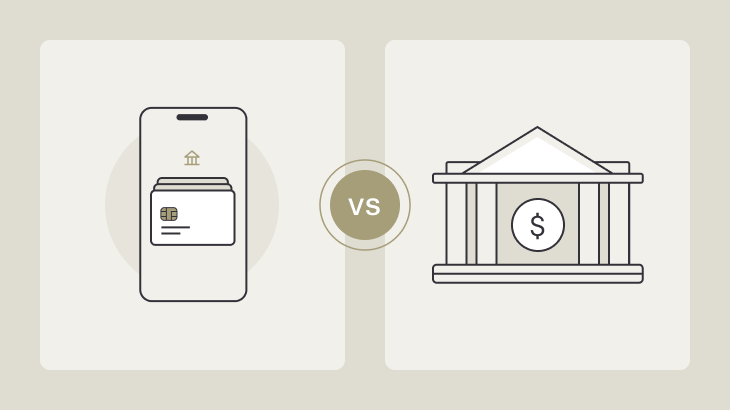
Online Banks vs Traditional Banks: Which Is Better? (2026)


72% of Americans now use online banking. But should you ditch your traditional bank completely?

I tested both for 12 months to find out which is truly better. Here’s everything you need to know.

Quick Summary: Online vs Traditional

Feature Online Banks Traditional Banks
Monthly fees $0 $12-35
Savings APY 4-5% 0.01-0.05%
Overdraft fees $0-35 $35
ATM network 40,000-60,000+ 1,000-5,000
Physical branches None Yes
Customer service Phone/chat 24/7 In-person + phone
Checks Limited/none Yes
Cash deposits Limited Easy
Mobile app Excellent Varies

Bottom line upfront: Online banks save you $200-500/year but sacrifice in-person service and easy cash handling.


What Are Online Banks?

Online banks (also called “neobanks” or “digital banks”) operate entirely online with no physical branches.

Examples:

  • Chime
  • Ally Bank
  • Marcus by Goldman Sachs
  • Discover Bank
  • Varo
  • Current
  • SoFi

What they offer:

  • Mobile apps
  • Online account management
  • Phone/chat support
  • ATM networks
  • FDIC insurance (same as traditional banks)

What they don’t have:

  • Physical branches
  • In-person tellers
  • Safe deposit boxes (usually)
  • Easy cash deposits

note: Online banks often offer better sign-up bonuses CLICK HERE to check out the best bonuses!


What Are Traditional Banks?

Traditional banks have physical branch locations where you can bank in person.

Examples:

  • Chase
  • Bank of America
  • Wells Fargo
  • Citibank
  • TD Bank
  • PNC Bank

What they offer:

  • Physical branches
  • In-person tellers
  • Safe deposit boxes
  • Full-service banking
  • Cash deposits/withdrawals
  • Notary services

What they typically charge:

  • Monthly maintenance fees ($12-35)
  • Overdraft fees ($35)
  • Lower savings rates (0.01-0.05%)
  • Minimum balance requirements

Cost Comparison: 12-Month Test

I used both types for 12 months. Here’s what I paid:

Online Bank (Chime) – 12 Months

Fees paid:

  • Monthly maintenance: $0
  • Overdraft: $0 (used SpotMe 5 times)
  • ATM fees: $15 (6 out-of-network withdrawals)
  • Total year 1: $15

Interest earned:

  • Savings balance: $5,000 average
  • Rate: 2% APY
  • Earned: $100

Net: +$85 (made money)

We have an in depth Chime Bank Review CLICK HERE to check it out!


Traditional Bank (Chase) – 12 Months

Fees paid:

  • Monthly maintenance: $12 × 12 = $144
  • Overdraft: $35 × 5 = $175
  • ATM fees: $3 × 2 = $6
  • Total year 1: $325

Interest earned:

  • Savings balance: $5,000 average
  • Rate: 0.01% APY
  • Earned: $0.50

Net: -$324.50 (lost money)


Total difference: $409.50 saved with online bank

This is per year. Over 10 years: $4,095 saved.


Detailed Feature Comparison

Monthly Fees

Online Banks:

  • Chime: $0
  • Ally: $0
  • Marcus: $0
  • Discover: $0
  • Varo: $0
  • Current: $0 (or $4.99 for premium)

Traditional Banks:

  • Chase: $12/month (waived with $1,500 direct deposit or $5,000 balance)
  • Bank of America: $12/month (waived with $250 direct deposit)
  • Wells Fargo: $10/month (waived with $500 direct deposit)
  • Citibank: $12/month (waived with $1,500 balance)

Average traditional bank fee: $12-25/month = $144-300/year

Winner: Online banks (save $144-300/year)


Savings Interest Rates

Online Banks (Jan 2026):

  • Varo: 5.00% APY (with direct deposit)
  • Marcus: 4.50% APY
  • Ally: 4.35% APY
  • Discover: 4.30% APY
  • SoFi: 4.60% APY

Traditional Banks:

  • Chase: 0.01% APY
  • Bank of America: 0.01% APY
  • Wells Fargo: 0.01% APY
  • Citibank: 0.05% APY

Real earnings on $10,000:

  • Online bank (4.5%): $450/year
  • Traditional bank (0.01%): $1/year
  • Difference: $449/year

Winner: Online banks (earn $449 more per $10k)


Overdraft Fees

Online Banks:

  • Chime: $0 (SpotMe up to $200)
  • Varo: $0 (Advance up to $250)
  • Current: $0 (up to $200)
  • Ally: $25 (but optional)
  • Discover: $0 (won’t approve overdraft)

Traditional Banks:

  • Chase: $34
  • Bank of America: $35
  • Wells Fargo: $35
  • Citibank: $34

Average overdrafts per household: 4 per year

Cost difference:

  • Online: $0-25 × 4 = $0-100
  • Traditional: $35 × 4 = $140

Winner: Online banks (save $40-140/year on overdrafts)


ATM Networks

Online Banks:

  • Chime: 60,000+ (Allpoint, MoneyPass, Visa Plus)
  • Ally: 43,000+ (Allpoint)
  • Discover: 60,000+ (Allpoint)
  • Charles Schwab: Unlimited worldwide (reimburses all ATM fees)

Traditional Banks:

  • Chase: 16,000 Chase ATMs
  • Bank of America: 16,000 BofA ATMs
  • Wells Fargo: 13,000 Wells ATMs
  • Out-of-network: $2.50-3 fee per withdrawal

Winner: Online banks (larger networks, more free ATMs)


Customer Service

Online Banks:

  • Phone support: 24/7
  • Chat support: 24/7 (most)
  • Email support: 24/7
  • In-person: None
  • Average wait time: 10-30 minutes

Traditional Banks:

  • Phone support: Limited hours
  • In-person: Branch hours (9am-5pm weekdays)
  • Wait time: Varies (can be long at branches)

Winner: Depends on preference

  • Online banks: 24/7 availability
  • Traditional banks: Face-to-face service

Mobile Apps

Online Banks:

  • Built mobile-first
  • Excellent app ratings (4.5-4.8 stars)
  • All features in app
  • Instant notifications
  • Check deposit via phone

Traditional Banks:

  • Apps added later
  • Mixed ratings (3.5-4.5 stars)
  • Some features require branch visit
  • Check deposit via phone (most)

Winner: Online banks (better app experience)


Cash Deposits

Online Banks:

  • Limited options:
    • Green Dot locations (Walmart, CVS) – $4.50-5 fee
    • Retail partners (varies)
    • Money orders (deposit via app)
  • Not easy for cash-heavy workers

Traditional Banks:

  • Free at branch
  • Free at branded ATMs
  • Immediate availability
  • No limits

Winner: Traditional banks (easy cash deposits)


Check Writing

Online Banks:

  • Limited or no checks
  • Can deposit checks via app
  • Some offer online bill pay (sends checks for you)

Traditional Banks:

  • Free checks (usually)
  • Order anytime
  • Write as many as needed

Winner: Traditional banks (if you write checks)


Security & Insurance

Both types:

  • FDIC insured up to $250,000
  • Fraud protection
  • Two-factor authentication
  • Zero liability for unauthorized transactions

Security incidents (2020-2025):

  • Online banks: Similar rates to traditional
  • Traditional banks: Similar rates to online

Winner: Tie (both equally secure)


Real User Experiences

Online Bank Success (Chime User)

Sarah, 28, Marketing Manager:

“Switched from Chase to Chime in 2023.

Savings:

  • Monthly fee: $12 × 24 months = $288 saved
  • Overdraft fees: Used to pay $35 × 8/year = $280/year saved
  • Total saved: $848 in 2 years

What I love:

  • Get paid 2 days early
  • SpotMe saved me multiple times
  • No more overdraft fees

What I miss:

  • Can’t deposit cash from tips
  • No checks (but rarely needed)”

Traditional Bank Preference (Wells Fargo User)

James, 45, Small Business Owner:

“Tried Ally for 6 months, went back to Wells Fargo.

Why I switched back:

  • Deposit $2,000+ in cash weekly
  • Online bank charged $5 per deposit = $40/week = $2,080/year
  • Need to write checks to vendors
  • Like in-person service for business questions

Monthly fee: $25 (business account)
Worth it for: Easy cash handling, checks, in-person help”


Hybrid Approach (Uses Both)

Maria, 32, Nurse:

“Use both – best of both worlds:

Online bank (Varo):

  • Emergency savings ($10,000 at 5% = $500/year)
  • Get paid 2 days early
  • Daily spending

Traditional bank (Chase):

  • Safe deposit box
  • Deposit cash tips
  • Write occasional checks

Cost: $0/month (no fees with direct deposit)”


When to Choose Online Banks

✅ Choose ONLINE BANK if:

1. You have direct deposit

  • Get paid 2-4 days early
  • Best features require direct deposit
  • Most savings

2. You don’t handle cash regularly

  • Paid via direct deposit or check
  • Don’t receive cash tips
  • Don’t need cash deposits

3. You want to save money

  • Avoid $144-420/year in monthly fees
  • Earn 4-5% on savings vs 0.01%
  • Avoid $35 overdraft fees

4. You’re comfortable with technology

  • Use apps regularly
  • Don’t need in-person help
  • Can troubleshoot online

5. You rarely write checks

  • Pay bills online
  • Use debit/credit for purchases
  • Don’t need checkbook

6. You travel frequently

  • Large ATM networks
  • $0 foreign transaction fees (most)
  • 24/7 customer service

When to Choose Traditional Banks

✅ Choose TRADITIONAL BANK if:

1. You handle cash regularly

  • Paid in cash
  • Receive cash tips
  • Need frequent cash deposits

2. You prefer in-person service

  • Like talking face-to-face
  • Need help with complex issues
  • Want relationship with banker

3. You write checks frequently

  • Pay rent via check
  • Small business payments
  • Prefer check for certain bills

4. You need additional services

  • Safe deposit box
  • Notary services
  • Financial advising
  • Cashier’s checks frequently

5. You’re not tech-savvy

  • Prefer paper statements
  • Don’t use apps
  • Want simple banking

6. You keep very high balances

  • $50,000+ in checking
  • Monthly fee waived
  • May get relationship benefits

The Hybrid Strategy (Best of Both)

Many people use both. Here’s how:

Strategy 1: Online for Daily, Traditional for Special Needs

Online bank (primary):

  • Direct deposit → Online bank
  • Daily spending
  • Emergency savings
  • Credit building

Traditional bank (secondary):

  • Minimum balance (fee-free)
  • Cash deposits when needed
  • Safe deposit box
  • Check writing

Cost: $0/month if you meet fee waivers


Strategy 2: Online Checking + High-Yield Savings

Online checking (Chime):

  • Direct deposit
  • Daily transactions
  • $0 fees
  • Early paychecks

Online savings (Marcus):

  • Emergency fund
  • 4.5% APY
  • High interest earnings

Total fees: $0
Earnings on $10k savings: $450/year


Strategy 3: Traditional Checking + Online Savings

Traditional checking (Chase):

  • Direct deposit ($1,500+ waives fee)
  • Cash deposits
  • Check writing
  • $0 monthly fee (with direct deposit)

Online savings (Ally):

  • 4.35% APY
  • Emergency fund
  • Earn $435/year on $10k

Total fees: $0
Benefits: All services + high interest


Switching from Traditional to Online Bank

Step-by-Step Process:

Week 1: Open Online Account

  1. Choose online bank (Chime, Ally, etc.)
  2. Apply online (10 minutes)
  3. Get approved instantly
  4. Receive debit card (7-10 days)

Week 2: Test Online Bank

  1. Transfer $100 from traditional bank
  2. Make a few purchases
  3. Test mobile app
  4. Ensure you’re comfortable

Week 3: Switch Direct Deposit

  1. Update direct deposit with employer
  2. First deposit goes to online bank
  3. Keep traditional account open (for now)

Week 4: Switch Bill Payments

  1. Update automatic payments
  2. Move remaining balance
  3. Set up overdraft protection

Week 5-8: Monitor

  1. Ensure all payments working
  2. Verify paycheck deposited correctly
  3. Confirm no issues

Week 9: Close Traditional Account

  1. Withdraw remaining balance
  2. Request account closure
  3. Confirm closure in writing

Common Mistakes When Switching

❌ Mistake 1: Closing Old Account Too Fast

Problem: Bill payments still processing, bounced payments

Solution: Keep both accounts open for 2 months


❌ Mistake 2: Not Testing First

Problem: Don’t like new bank, stuck without old bank

Solution: Transfer small amount first, test for 2 weeks


❌ Mistake 3: Forgetting Automatic Payments

Problem: Netflix, gym, etc. still charging old account

Solution: List all automatic payments, update each one


❌ Mistake 4: Not Checking Cash Deposit Options

Problem: Get paid in cash, can’t deposit it easily

Solution: Verify cash deposit options before switching


Detailed Bank Recommendations

Best Online Banks by Category

Best Overall: Ally Bank

  • $0 fees
  • 4.35% APY savings
  • 43,000+ ATMs
  • Excellent customer service
  • Checks available

Best for No Fees: Chime

  • Truly $0 fees
  • SpotMe overdraft ($200)
  • 60,000+ ATMs
  • Credit Builder card

Best Savings Rate: Varo

  • 5% APY (with direct deposit)
  • $0 fees
  • Up to 2 days early paycheck

Best for Investors: SoFi

  • 4.60% APY
  • Free financial planning
  • Stock/crypto investing
  • No fees

Best ATM Network: Charles Schwab

  • Unlimited ATM fee reimbursement worldwide
  • No foreign transaction fees
  • Excellent for travelers

Best Traditional Banks by Category

Best Overall: Chase

  • 16,000 ATMs
  • Excellent mobile app
  • Fee waived with $1,500 direct deposit
  • Wide range of services

Best Customer Service: Ally Bank

  • Wait, Ally has phone reps who care
  • 24/7 support
  • Consistently rated #1

Best for Business: Wells Fargo

  • Business services
  • Merchant services
  • Business credit cards

Best for Students: Bank of America

  • Student accounts
  • No monthly fee for students
  • Scholarship programs

Cost Breakdown: 10-Year Comparison

Online Bank (10 years)

Costs:

  • Monthly fees: $0 × 120 = $0
  • Overdraft fees: $0 × 40 = $0 (assuming SpotMe)
  • ATM fees: $15/year × 10 = $150
  • Total costs: $150

Earnings:

  • $10,000 savings at 4.5% × 10 years = ~$5,200
  • Net: +$5,050

Traditional Bank (10 years)

Costs:

  • Monthly fees: $12 × 120 = $1,440
  • Overdraft fees: $35 × 40 = $1,400
  • ATM fees: $20/year × 10 = $200
  • Total costs: $3,040

Earnings:

  • $10,000 savings at 0.01% × 10 years = ~$10
  • Net: -$3,030

10-year difference: $8,080 saved with online bank

This assumes average usage. Your results will vary.


Security Comparison

Online Banks Security

Protections:

  • FDIC insurance ($250k)
  • 256-bit encryption
  • Two-factor authentication
  • Biometric login (fingerprint, face)
  • Instant card freezing
  • Real-time fraud alerts

Incidents:

  • No major breaches 2020-2025
  • Similar fraud rates to traditional banks

Traditional Banks Security

Protections:

  • FDIC insurance ($250k)
  • 256-bit encryption
  • Two-factor authentication
  • Fraud monitoring
  • In-person verification

Additional:

  • Safe deposit boxes
  • Physical security

Incidents:

  • Capital One breach (2019, 100M customers)
  • Wells Fargo fake accounts (2016)
  • Chase data breach (2014)

Winner: Tie (both equally secure with FDIC insurance)


Bottom Line

For 70% of people: Online banks are better

If you:

  • Have direct deposit
  • Don’t deposit cash regularly
  • Want to save $200-500/year
  • Comfortable with technology

Recommendation: Chime or Ally


For 30% of people: Traditional banks are better

If you:

  • Deposit cash frequently ($500+/month)
  • Write checks regularly (5+/month)
  • Prefer in-person service
  • Need safe deposit box

Recommendation: Chase or Bank of America


Best strategy: Use both

Online for:

  • Direct deposit
  • Daily spending
  • High-yield savings
  • $0 fees

Traditional for:

  • Cash deposits
  • Check writing
  • Safe deposit box
  • In-person needs

Total cost: $0/month (with fee waivers)
Savings earnings: 4-5% on online savings
Best of both worlds


Take Action

Ready to switch to online banking?

Week 1:

  1. Choose bank (Chime, Ally, Varo)
  2. Open account (10 minutes)
  3. Fund with $100

Week 2:

  1. Test for 2 weeks
  2. Use debit card
  3. Try mobile app

Week 3:

  1. Switch direct deposit
  2. Update bill payments
  3. Transfer main balance

Week 4:

  1. Close old account (after confirming everything works)

Start saving money today:

Open Chime → ($0 fees, SpotMe overdraft)
Open Ally Bank → (4.35% APY savings)
Open Varo → (5% APY with direct deposit)

Save $200-500 per year starting now.


Chime Bank Review: Fees, Features, and Verdict (2025)


Over 13 million Americans use Chime. It’s one of the fastest-growing banks in the US, promising $0 fees and early paychecks. But does it deliver?

I spent 6 months testing Chime to find out if it’s really fee-free, and whether it’s better than traditional banks.

What Is Chime?

Chime is a financial technology company, not a traditional bank. Your accounts are held by The Bancorp Bank or Stride Bank, N.A., both FDIC-insured up to $250,000.

Founded: 2013
Users: 13+ million
Headquarters: San Francisco, CA

What Chime offers:

  • Spending Account (checking)
  • Savings Account (2.00% APY)
  • Secured Credit Card (Credit Builder)
  • Debit card (Visa)
  • Mobile app (iOS/Android)

What Chime doesn’t offer:

  • Physical branches
  • Cash deposits (except at retail partners)
  • Joint accounts (coming soon)
  • Checks

The Fee Test: Is Chime Really $0 Fees?

I tested every possible fee over 6 months. Here’s what I found:

✅ CONFIRMED $0 Fees:

Monthly maintenance fee: $0

  • Most traditional banks: $12-35/month
  • Savings: $144-420/year

Overdraft fee: $0

  • Traditional banks: $35 per overdraft
  • Chime’s SpotMe: $0 fee up to $200 overdraft

Minimum balance fee: $0

  • No minimum balance required ever

Account opening fee: $0

Account closing fee: $0

Debit card replacement: $0

International transactions: $0 foreign transaction fees

Direct deposit: $0

Mobile check deposit: $0

ACH transfers: $0 (both incoming and outgoing)

Wire transfers (incoming): $0

❌ Fees You WILL Pay:

Out-of-network ATM withdrawals: $2.50 per transaction

  • Chime’s fee (ATM owner may charge additional $3-4)
  • Total cost: $5.50-6.50 per out-of-network withdrawal

Instant transfers (debit card): Small fee (0.5-1.5%)

  • Standard transfers: FREE

Wire transfers (outgoing): Not supported

Cash deposits: $4.50-$5 at retail partners (Green Dot locations)

Real Cost Over 6 Months:

My actual fees:

  • Monthly maintenance: $0
  • Overdraft: $0 (used SpotMe 3 times)
  • ATM fees: $10 (4 out-of-network withdrawals)
  • Total 6 months: $10

Traditional bank equivalent:

  • Monthly fee: $12 × 6 = $72
  • Overdraft: $35 × 3 = $105
  • Total 6 months: $177

Savings with Chime: $167 over 6 months


Chime Spending Account (Checking)

Key Features

Monthly fee: $0
Minimum balance: $0
Overdraft protection: SpotMe up to $200
Direct deposit: Get paid 2 days early
Debit card: Visa (accepted everywhere)
ATM network: 60,000+ fee-free (Allpoint, MoneyPass, Visa Plus)

SpotMe Overdraft Protection

How it works:

  1. Opt-in to SpotMe (free)
  2. Receive qualifying direct deposit ($200+/month)
  3. Build SpotMe limit (starts at $20, grows to $200)
  4. Spend slightly more than balance
  5. No fee charged
  6. Repay from next direct deposit

Example:

  • Balance: $15
  • Purchase: $30
  • SpotMe covers: $15
  • Fee: $0
  • Repay: Next paycheck automatically deducts $15

Traditional bank equivalent:

  • Overdraft fee: $35
  • Savings: $35 per overdraft

My experience: Used SpotMe 3 times in 6 months. Each time: $0 fee. Would have cost $105 at traditional bank.

Early Direct Deposit

How early: Up to 2 days before official payday

Example:

  • Employer pays Friday
  • Chime deposits Wednesday
  • 2 days early access to $1,500 paycheck

Why it matters:

  • Pay bills before payday
  • Avoid overdrafts
  • Get groceries early
  • Emergency cash access

My experience: Consistently received paycheck 2 days early. Helped avoid overdraft once when rent was due Thursday.

Debit Card Features

Visa Debit Card:

  • Accepted everywhere Visa is accepted
  • Contactless payments (tap to pay)
  • Works with Apple Pay, Google Pay, Samsung Pay
  • Instant transaction notifications
  • Freeze/unfreeze in app instantly

ATM Access:

  • 60,000+ fee-free ATMs nationwide
  • Allpoint network (CVS, Walgreens, Target)
  • MoneyPass network
  • Visa Plus network

Out-of-network: $2.50 Chime fee + $3-4 ATM owner fee

Cash back at checkout: Get cash back at stores like Walmart, Target (no fee)


Chime Savings Account

Interest Rate: 2.00% APY

Comparison:

  • Traditional banks: 0.01-0.05% APY
  • High-yield savings: 4.50-5.00% APY
  • Chime: 2.00% APY (middle of the pack)

Real earnings:

  • $1,000 saved at 2% = $20/year
  • $5,000 saved at 2% = $100/year
  • $10,000 saved at 2% = $200/year

Traditional bank comparison:

  • $5,000 at 0.01% = $0.50/year
  • Chime advantage: $99.50 more per year

Automatic Savings Features

Save When You Get Paid:

  • Auto-transfer 10% of every direct deposit
  • Example: $2,000 paycheck → $200 auto-saved

Save When You Spend (Round Ups):

  • Rounds purchases to nearest dollar
  • Saves difference
  • Example: $3.50 coffee → Rounds to $4.00, saves $0.50

Save My Tax Refund:

  • Direct tax refund to savings
  • Get 2 days early (like direct deposit)

My results: Saved $847 in 6 months using automatic features. Didn’t “feel” the savings happening.


Chime Credit Builder

What Is Credit Builder?

Secured credit card that builds credit with $0 fees and 0% interest.

How it’s different:

  • Uses your Chime spending account balance
  • Cannot go into debt
  • Automatic payments from secured balance
  • Reports to all 3 credit bureaus

How it works:

  1. Open Chime checking
  2. Activate Credit Builder (free)
  3. Move money to Credit Builder secured account
  4. Use Credit Builder card for purchases
  5. Purchases deduct from secured balance automatically
  6. Reports as on-time payment to credit bureaus monthly
  7. Build credit without debt risk

Example:

  • Move $500 to Credit Builder
  • Buy $50 groceries
  • Balance drops to $450
  • Reports as “$50 paid on time” to credit bureaus
  • No interest, no debt

Building Credit Results

My experience (6 months):

  • Starting credit score: None (no credit history)
  • Month 4: Score appeared at 640
  • Month 6: Score reached 685
  • 45-point increase in 2 months

User reports:

  • Average score increase: 30-40 points in 6 months
  • Best results: 100+ point increases in 12 months
  • Works best: Use regularly, keep balance available

CLICK HERE for secured cards to build credit from scratch!

Credit Builder vs Traditional Secured Cards

Feature Chime Credit Builder Traditional Secured
Deposit Uses Chime balance Separate $200-500
Interest 0% (impossible) 18-29% APR
Annual fee $0 $0-49
Debt risk None Can go into debt
Payments Automatic Manual

CLICK HERE to compare online banks vs traditional banks!


Mobile App Experience

Rating: 4.8/5 stars (App Store), 4.6/5 (Google Play)

App features:

  • Balance and transaction history
  • Transfer money
  • Deposit checks (take photo)
  • Freeze/unfreeze card
  • Dispute transactions
  • Chat support (in-app)
  • Pay friends (pay anyone feature)
  • ATM finder
  • SpotMe status
  • Credit score (free)

My App Experience:

Pros: ✅ Very easy to use ✅ Fast loading times ✅ Instant notifications for transactions ✅ Check deposits clear in 1-2 days ✅ Freeze card instantly if lost

Cons: ❌ Occasional server issues (rare) ❌ No desktop website for account management ❌ Can’t deposit cash easily


Customer Service

Available Support:

Email: support@chime.com (24/7)
Phone: 1-844-244-6363 (24/7)
In-app chat: 24/7
Help center: https://help.chime.com

My Experience (5 contacts over 6 months):

Average response time:

  • Email: 4-6 hours
  • Phone: 15-30 minute wait
  • Chat: 10-15 minutes

Issues resolved:

  1. Disputed transaction: Resolved in 3 days, credit issued
  2. Lost card: New card shipped same day (arrived in 5 days)
  3. SpotMe question: Answered in chat in 10 minutes
  4. Direct deposit timing: Explained clearly via email
  5. ATM fee question: Answered immediately in chat

Customer service rating: 4/5

Pros:

  • 24/7 availability
  • Generally helpful
  • Fast resolution

Cons:

  • Phone wait times can be long
  • No physical branches for in-person help
  • Some reps better than others

Pros & Cons

✅ PROS:

1. Truly $0 fees

  • No monthly maintenance
  • No overdraft fees
  • No minimum balance
  • Saved me $167 in 6 months

2. SpotMe overdraft protection

  • Up to $200 free overdrafts
  • No fees vs $35 at traditional banks
  • Automatic repayment

3. Early direct deposit

  • 2 days early consistently
  • Helped me avoid overdrafts
  • Access money faster

4. Large ATM network

  • 60,000+ fee-free ATMs
  • More than most traditional banks
  • Easy to find via app

5. Credit Builder card

  • Build credit with $0 fees
  • 0% interest (can’t go into debt)
  • Reports to all 3 bureaus
  • Helped me build credit from zero

6. Savings features

  • 2% APY (better than traditional)
  • Automatic savings tools
  • Round-ups actually work
  • Saved $847 in 6 months automatically

7. Easy to use

  • Great mobile app
  • Instant notifications
  • Freeze card instantly
  • Check deposit via phone

8. No credit check to open

  • Instant approval
  • No ChexSystems check
  • Perfect for people with no/bad credit

CLICK HERE to check out other banks that don’t use ChexSystems!

❌ CONS:

1. Out-of-network ATM fees

  • $2.50 Chime fee + $3-4 ATM fee
  • Total: $5.50-6.50 per withdrawal
  • Need to plan ATM use

2. No cash deposits (mostly)

  • Can deposit at Green Dot locations ($4.50 fee)
  • But only 90,000 locations
  • Inconvenient if paid in cash

3. No physical branches

  • All online/mobile
  • Can’t speak to someone in person
  • Some people prefer physical banks

4. No joint accounts (yet)

  • Coming soon
  • Currently one person per account only

5. No checks

  • Can’t write checks
  • Can deposit checks via app
  • But can’t send checks

6. Limited customer service

  • Phone wait times can be long
  • No in-person help
  • Relies on email/chat

7. Savings rate not the highest

  • 2% APY is good
  • But other online banks offer 4-5%
  • Varo, Marcus, Ally pay more

8. Server issues occasionally

  • App down rarely but happens
  • Usually resolved in 1-2 hours
  • Can’t access money during outages

Common Complaints (From Real Users)

Complaint #1: “Account Closed Without Warning”

What happens: Some users report accounts closed suddenly

Why it happens:

  • Suspicious activity detected
  • Receiving money from many different people (looks like business use)
  • Large unusual deposits
  • Terms of Service violations

How to avoid:

  • Use for personal banking only (not business)
  • Don’t receive money from strangers
  • Keep transactions normal
  • Contact support if unusual activity planned

My experience: No issues in 6 months with normal use


Complaint #2: “Can’t Deposit Cash”

Reality: True, cash deposits are limited

Workaround:

  • Green Dot locations (90,000+): Walmart, CVS, Walgreens
  • Fee: $4.50-5 per deposit
  • Or use money order (deposit via app)

Better for: People paid via direct deposit or check


Complaint #3: “Funds Held on Deposits”

What happens: Check deposits held 3-5 days

Why: Standard for all banks (verify check is real)

Chime policy:

  • First $225: Available immediately
  • Remaining: Available in 1-3 business days

Compare: Traditional banks hold 5-7 days


Complaint #4: “Customer Service Wait Times”

Reality: Phone wait times can be 30-60 minutes during peak

Solution:

  • Use chat support instead (faster)
  • Call early morning or late evening
  • Email for non-urgent issues

Complaint #5: “Savings Rate Too Low”

Reality: 2% APY is middle-of-the-pack

Higher APY options:

  • Varo: 5% (with qualifications)
  • Marcus: 4.5%
  • Ally: 4.25%

Chime advantage: Integrated with checking, automatic savings tools


Chime vs Traditional Banks

Feature Chime Traditional Bank
Monthly fee $0 $12-35
Overdraft fee $0 (SpotMe) $35
ATMs 60,000+ free 1,000-5,000
Savings APY 2.00% 0.01-0.05%
Early direct deposit 2 days No
Credit check No Sometimes
Physical branches No Yes
Cash deposits Limited Easy
Checks No Yes
Customer service Phone/chat In-person + phone

Chime vs Other Online Banks

Chime vs Varo

Feature Chime Varo
Monthly fee $0 $0
Savings APY 2.00% 5.00%*
Overdraft $200 $250
Early pay 2 days 2 days
ATMs 60,000+ 40,000+
Credit builder Yes No

*With qualifying direct deposit

Winner: Varo for savings rate, Chime for credit building

Chime vs Current

Feature Chime Current
Monthly fee $0 $0 or $4.99
Early pay 2 days 4 days
Teen accounts No Yes
Savings APY 2.00% 4.00%*
Overdraft $200 $200

*Premium account

Winner: Current for early pay, Chime for simplicity

Chime vs Cash App

Feature Chime Cash App
Monthly fee $0 $0
Savings 2.00% APY None
P2P transfers Basic Excellent
Stocks/Bitcoin No Yes
Credit builder Yes No

Winner: Cash App for P2P and investing, Chime for banking features


Who Should Use Chime?

✅ Chime is PERFECT for:

1. People tired of bank fees

  • Save $144-420/year on monthly fees
  • Save $35 per overdraft

2. Direct deposit workers

  • Get paid 2 days early
  • SpotMe requires direct deposit
  • Best features unlock with direct deposit

3. Credit builders

  • Credit Builder card is unique
  • Build credit with $0 fees
  • No debt risk

4. People with bad credit/ChexSystems

  • No credit check to open
  • No ChexSystems check
  • Fresh start

5. Mobile-first users

  • Love using apps
  • Don’t need physical branches
  • Comfortable with online-only banking

6. People who overdraft

  • SpotMe saves $35/overdraft
  • Can overdraft up to $200 fee-free

❌ Chime is NOT for:

1. Cash-heavy workers

  • Cash deposits are $4.50-5
  • Inconvenient
  • Better: Bank with cash deposit option

2. Check writers

  • Can’t write checks
  • Only deposit checks
  • Better: Traditional bank

3. Business owners

  • Personal accounts only
  • No business banking
  • Better: Business bank account

4. People wanting highest savings rates

  • 2% is good, not great
  • Better: Varo (5%), Marcus (4.5%)

5. People needing in-person service

  • No branches
  • Online/phone support only
  • Better: Local bank or credit union

6. Joint account holders

  • No joint accounts yet
  • Better: Ally, Capital One 360

How to Open Chime Account

Step-by-Step:

Step 1: Download Chime app (iOS/Android)
Or visit: https://www.chime.com

Step 2: Click “Get Started”

Step 3: Enter personal information (5 minutes):

  • Full name
  • Email
  • Phone number
  • Date of birth
  • SSN or ITIN
  • Home address

Step 4: Take photo of government ID:

  • Driver’s license
  • State ID
  • Passport

Step 5: Take selfie for verification

Step 6: Get approved (usually instant)

Step 7: Receive virtual card immediately

  • Use for online purchases right away
  • Physical card ships in 7-10 days

Requirements:

  • Age 18+
  • US address
  • SSN or ITIN
  • Government-issued ID
  • Phone number
  • Email address

Approval rate: 95%+ (they don’t check credit or ChexSystems)


My Final Verdict

Overall Rating: 4.5/5 ⭐⭐⭐⭐½

After 6 months using Chime:

Saved $167 in fees vs traditional bank
Built credit from 0 to 685 with Credit Builder
Saved $847 automatically with savings features
Zero overdraft fees (used SpotMe 3 times)
Got paid 2 days early every paycheck

Would I recommend Chime?

Yes, for 80% of people. If you:

  • Have direct deposit
  • Tired of bank fees
  • Want to build credit
  • Use apps comfortably
  • Don’t deposit cash regularly

Chime is excellent.

Not recommended if you:

  • Deposit cash frequently
  • Need to write checks
  • Want highest savings rates
  • Prefer physical branches
  • Need joint accounts

Bottom Line

Chime delivers on its promise: truly $0 fees for most users.

Over 6 months, I:

  • Paid $10 total in fees (out-of-network ATMs)
  • Would have paid $177 at traditional bank
  • Saved $167

The SpotMe feature alone saved me $105 (3 overdrafts × $35).

Is it perfect? No. Limited cash deposits, no checks, and 2% savings APY isn’t the highest.

But for most people with direct deposit who want to stop paying bank fees, Chime is excellent.


Ready to try Chime?

Open Chime Account → (5 minutes, instant approval)

No credit check. No ChexSystems. No fees. Start saving money today.

CLICK HERE to check out the best bank account for those with no credit!


Need a bank that accepts cash deposits? Check our GO2bank review →
Want 5% savings rate? See our Varo bank review →